Well Workspace
The screen you will spend all your time in.
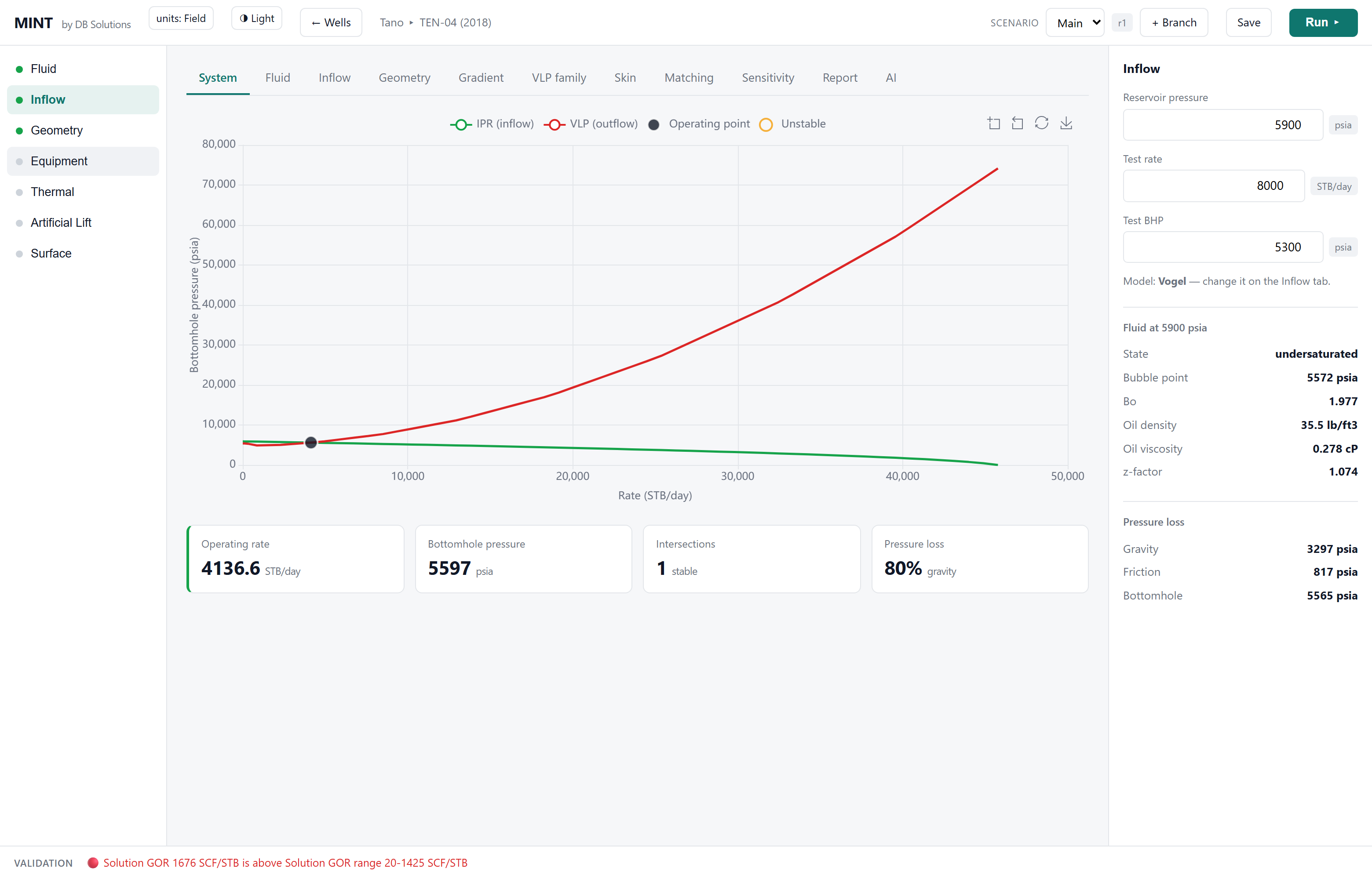
Three zones
| Zone | What it is for |
|---|---|
| Left rail | the model definition - Fluid, Inflow, Geometry, Equipment, Thermal, Lift, Surface. Dots show what has been given input. |
| Centre | tabs, plot, and the numbers that come out |
| Right inspector | inputs for the current step, and computed properties |
If you know PROSPER, the left rail is its Summary screen with the modal dialogs removed - the same "what still needs input?" glance, without the dialog stack.
Known rough edge
Fluid, Inflow and Geometry currently appear in both the rail and the tab bar, and the inspector follows the rail while the canvas follows the tab. This is a real inconsistency, it is written up in our internal UI audit, and it is being fixed. We would rather document it than have you discover it.
The validation bar
Along the bottom, always visible, never a modal:
VALIDATION 🔴 Solution GOR 1676 SCF/STB is above Solution GOR range 20-1425 SCF/STB
It names the quantity, the value and the published range. It does not stop you - extrapolation is sometimes the right call. It does make sure you never do it by accident, and the same warning is carried into the report where it cannot be edited out.
Scenario bar
Main ▾ · r1 · + Branch · Save · Run - see
Projects and scenarios.